

Buying route optimization software can either transform your planning and execution or become another underused tool that planners bypass. Evaluating your logistics optimization software requirements will help ensure that your chosen tools aren’t left gathering dust, but add genuine value to your operations.
Picture the typical operations manager, already buried under the weight of rising fuel costs and ever-shorter delivery windows, suddenly tasked with digitalizing their fleet. Between legacy tools, like Excel spreadsheets, and flashy new software demos, the pressure to find a truck-specific routing solution that actually works is substantial.
This checklist helps you move beyond eye-catching demos to find a solution built for complex operations and high-volume scalability.
Start With Your Reality: Questions About Your Operations and Objectives
Before diving into a route planning tool comparison, it is essential to first audit your specific operational context to ensure the solution you choose is built for your hurdles rather than simply fitting a generic template.
1. What problems are we really trying to solve?
Before you look at a dashboard or particular feature, ask yourself questions like:
- “Which planning steps take the most time each day?”
- “Where do we lose money – empty miles, overtime, or missed time windows?”
- “When does our current process break down?”
The above questions highlight exactly when spreadsheets aren’t enough for route planning. If your current process can’t simulate a volume spike or account for an on-road restriction, you aren’t just losing time – you’re sacrificing logistics planning software ROI.
2. How complex are our routes, networks, and constraints?
Before choosing a solution, map the shape of your operation – the number of vehicles in your fleet, where your depots are located, and the types of routes you take. To define your technical requirements, list the current variables of your network: depots, legs, service areas, delivery profiles, and seasonal peaks.
When evaluating different vendors, push them on how their platform handles these specific, non-negotiable constraints-based route optimization variables: dynamic time windows, advanced vehicle constraints, driver & regulatory rules, and truck-specific routing.
If your operation involves more than one depot, has strict delivery windows, or uses large HGVs, it’s likely you’ve hit the point when spreadsheets aren’t enough for route planning. The more complex your variables, the more you should insist on optimization-first software.
3. What does success look like in numbers?
Establish a baseline using these core KPIs to hold vendors accountable for real-world ROI:
- On-time delivery percentage
- Total km/stop
- Number of trucks needed per day
- Planner productivity
- CO₂ emission levels
Setting these KPIs early allows you to hold vendors accountable, making them the baseline for future ROI validation. Even so, don’t just rely on raw numbers – use them strategically by aligning them with cutting-edge innovations. Gartner reports that by 2028, 25% of logistics KPI reporting will be supported by GenAI. Ensure your software is transforming data into value and use the right tools to support this.
Must-Ask Questions About Optimization Capabilities
Think about your logistics optimization software requirements carefully. While many vendors claim to offer optimization, there is a massive technical difference between simple sequencing and true constraints-based route optimization. Asking the following questions will help planners narrow their many choices down:
4. How sophisticated is the optimization engine really?
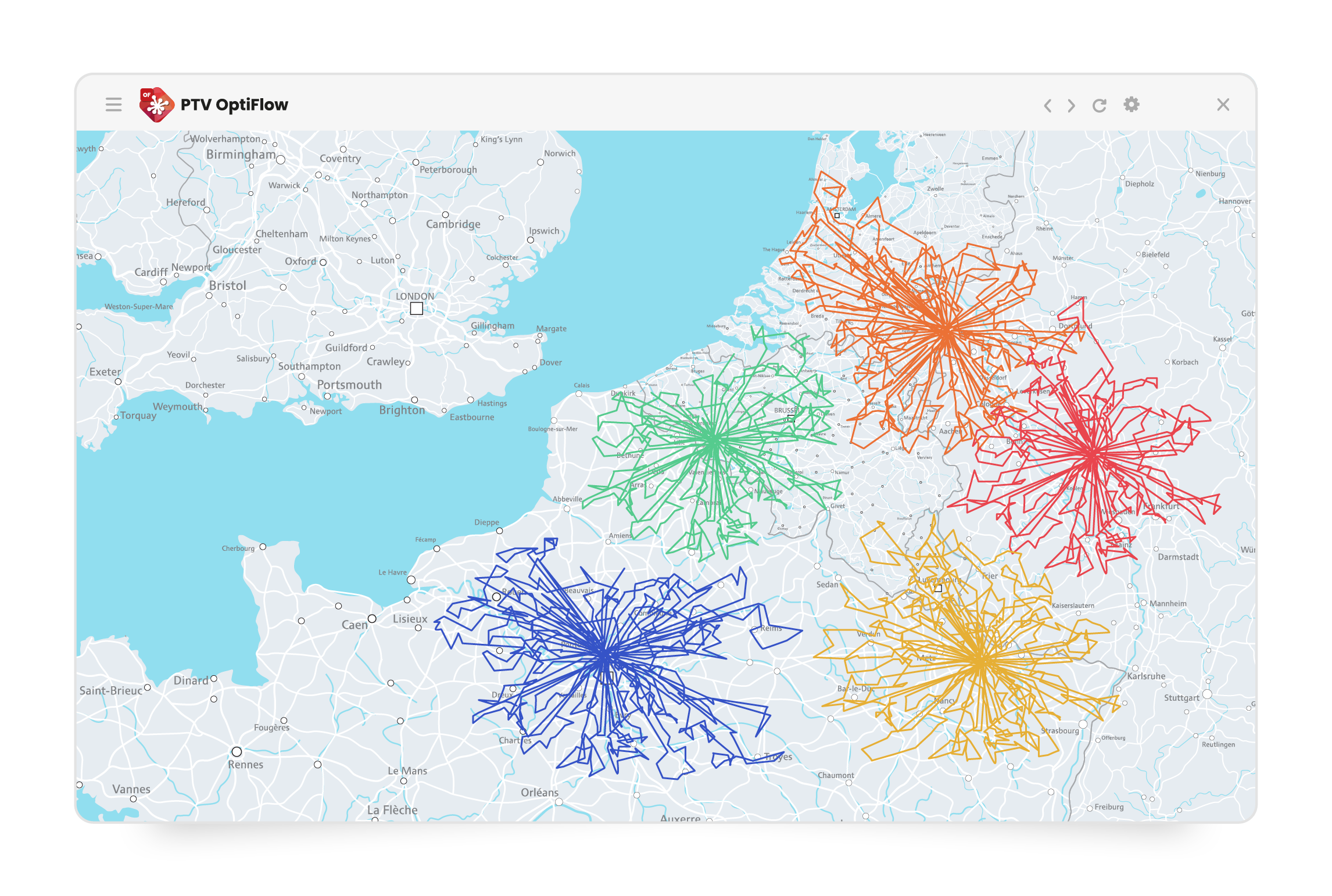
If your optimization engine is ineffective, planners will end up manually overriding the system – defeating the purpose of the investment. Frame your evaluation around the depth of the algorithm by asking these specific questions:
- “What types of constraints can your engine handle out of the box?”
- “How are time windows prioritized and optimized across all stops?”
- “How does the system balance cost vs service level?”
And don’t settle for a generic demo. Ask to see real-world planning examples similar to your own operations, potentially involving multi-leg routes or diverse fleet attributes, to test its suitability. Not for the average player in the sector – but for you.
5. Does the software support truck-specific, road-aware routing?
One of the most common pitfalls in a route planning tool comparison is assuming that all digital maps are equally effective – that consumer-grade maps are suitable for commercial logistics fleets.
To ensure your truck-specific routing solution is truly road-aware, ask how it handles height and weight limits, restricted roads, city access regulations, tolls, and ETA accuracy.
Look for platforms built on professional, road-centric data such as PTV Map&Guide, which is designed specifically for commercial vehicle routing. Tools like these factor in real-world constraints including driving and rest periods, time windows, traffic conditions, and vehicle-specific restrictions to deliver accurate, compliant routes.
Planners often run into problems when tools simply layer basic truck data onto consumer-grade maps. In contrast, routing engines built on dedicated truck data can also provide precise cost and toll calculations and support more advanced use cases such as electric vehicle (EV) routing and emissions tracking. For complex logistics operations, this level of detail is essential to ensure reliable planning, cost control, and regulatory compliance.
6. Can it handle multi-depot, multi-leg, and high-volume planning?
As the size of your logistics network increases, invariably, your complexity will too. Be sure to ask these questions to determine if a solution can truly grow at your pace:
- “Can you show a scenario with multiple depots and inter-depot transfers?”
- “What happens when we double our order volumes?”
- “What’s the largest daily planning run your customers execute?”
The ability of multi-depot route planning software to manage network complexity and massive data loads is what separates a strategic asset from a temporary fix. Moving from single-hub planning to integrated multi-depot and multi-leg optimization can result in smaller fleet sizes and more efficient planning.
By transitioning to a centralized planning model using PTV OptiFlow, ID Logistics recently discovered exactly how the right tool can unlock multi-depot capabilities, reducing its daily planning time by two hours and cutting total mileage by 4%. By combining scalability and simplicity, a tool can deliver ROI – not just for today’s volume – but for the future, too.
7. Can planners run scenarios and network design simulations?
Operations managers have moved beyond simply planning for tomorrow and are using scenario simulations to craft a strategy that is proactive and future-looking beyond the next 24 hours.
Some important questions to consider when creating such a strategy include:
- “Can we copy today’s plan and test an alternative scenario without affecting operations?”
- “Can we simulate depot closures, new regions, or changes in delivery promise times?”
- “Are our operations flexible enough to meet shifting regulations, including around sustainability?”
While basic routing tools provide a static map, PTV OptiFlow serves as a dynamic digital twin of your entire logistics network. By bridging the gap between daily tactical planning and long-term strategic logistics network design and optimization, PTV OptiFlow helps you craft a truly holistic network plan. Its capabilities in scenario simulation and network design have helped users save up to 20% on transport costs, enjoy a reduction of 15-20% in CO2 emissions, and carry out 15.000+ orders per run.
Questions About Workflow, Usability, and Planner Adoption
A common misconception is that logistics software for complex operations must be inherently difficult to use. In reality, even the most sophisticated tools should feel intuitive and deliver rapid time-to-value.
8. How easy is the solutions for planners to use day to day?
To evaluate the daily usability of a solution, ask vendors to demonstrate a planner’s typical day using the tool. Focus on questions around the solutions’ user interface (UI), how easy it is to make drag-and-drop adjustments, the practicalities of making manual overrides, and the presence of map and list views.
9. What does onboarding and time-to-value look like?
It doesn’t matter if planners have access to the best route optimization software in the world, if it takes the best part of a year to implement. Asking the following questions can help you gain an idea of the time-to-value for your chosen solution:
- “How long until we can run our first optimized plan?”
- “What training do planners and dispatchers need?”
- “What support is available in the first 90 days?”
Because PTV OptiFlow is designed for complex logistics operations, we have streamlined the data-onboarding process. When your order and fleet data are ready, our platform can start cutting mileage and carbon emissions almost immediately – so your investment payback arrives as quickly as your customers’ deliveries.
10. How does the system support planner decision-making, not replace it?
There have always been fears over new technology replacing humans and creating mass unemployment. This is true of logistics and has recently centered around fast-evolving AI solutions. However, smart logistics tools are not designed to replace human planners, but augment them. The goal of these tools is to automate mundane tasks so the planner can focus on adding value. Consider these questions when weighing up how a piece of software aligns with your human team:
- “How does the software improve planner productivity?”
- “Can the system explain ‘why’ it made a certain decision?”
- “Do alerts and exceptions ensure the planner ultimately makes the final decision?”
Recent research reinforces AI’s potential to liberate logistics planners – not automate them out of a job. For instance, 80% of logistics companies taking part in a recent Amazon survey said that they had successfully reassigned employees to higher value-added roles as a result of incorporating AI in their operations.
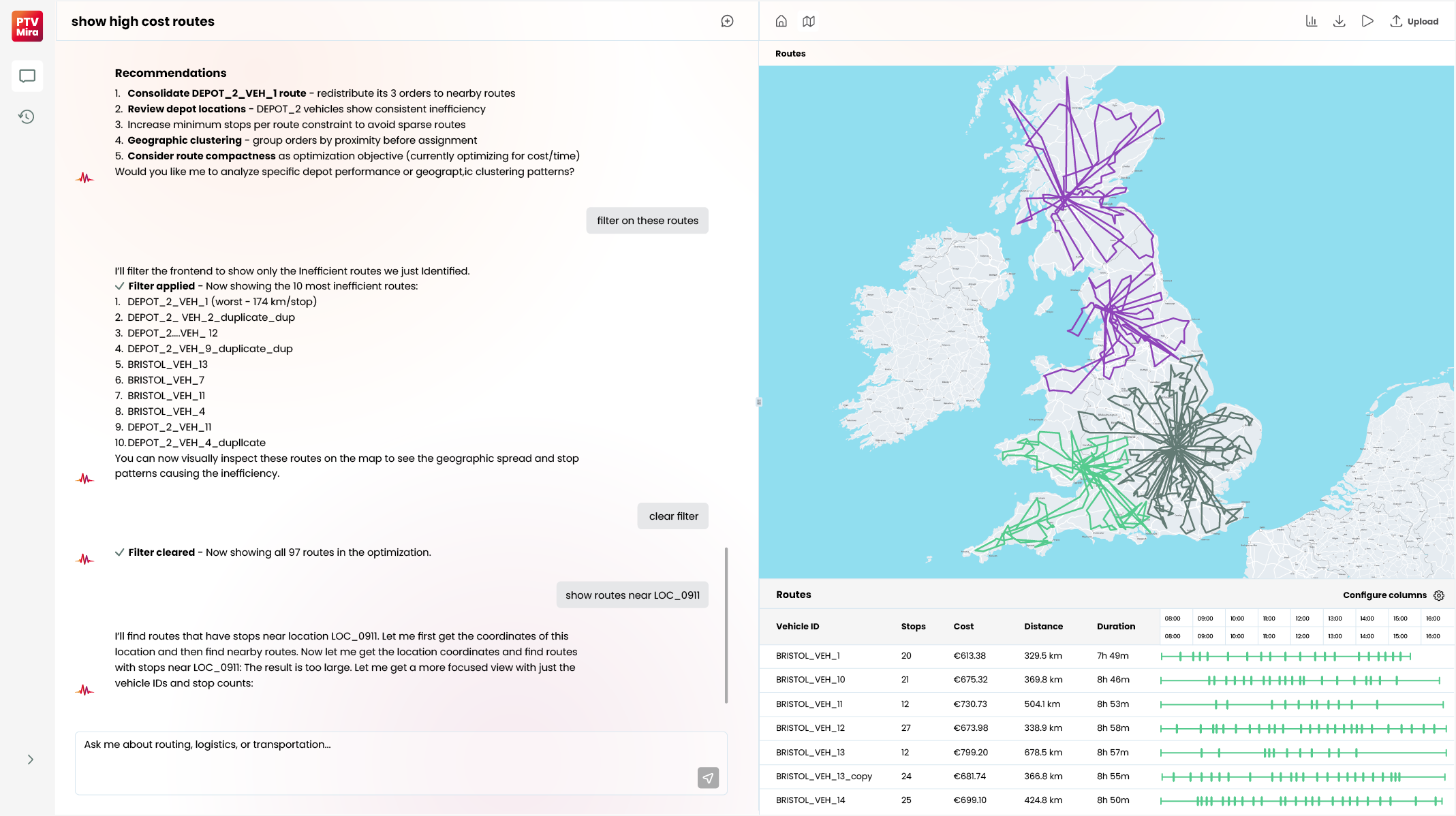
As AI continues to play a greater role in logistics, tools like PTV Mira are designed to support planners in their day-to-day decisions helping interpret data, surface insights, and manage complexity without taking control away from the user. This kind of embedded intelligence works alongside a clean, intuitive interface to drive fast time-to-value and encourage early adoption. By handling a multitude of calculations in the background, the system allows planners to stay focused on what matters most: managing the human side of logistics.
Questions About Integration, Data, and Execution Visibility
To avoid burdening your employees with yet another piece of software and cementing digital silos, your chosen logistics software must seamlessly connect with your existing technology stack. When engaging with vendors, be sure to dive deep into the operational workflow:
11. How does the optimization software integrate with our existing systems?
When talking to vendors, have your existing tools in mind and ask:
- “Which standard integrations or APIs do you provide for TMS/ERP/telematics?”
- “What data needs to flow in and out daily?”
- “How does the system handle latency during peak volume?”
Given the growing number of systems, plugins, and APIs in logistics, seamless integration is no longer optional. Teams need solutions that connect easily with existing systems while giving developers the flexibility to extend functionality as needed. Strong developer capabilities such as well-structured APIs and clear documentation, make this possible. PTV Developer, for example, enable teams to integrate routing and optimization into their existing landscape without adding unnecessary complexity.

12. Can we connect planning with real-time execution and visibility?
There’s no such thing as the perfect plan. The on-road reality is always likely to throw up something unexpected, whether it’s a diversion or unusually high traffic levels. To ensure your chosen optimization software works beyond crafting the picture-perfect plan, be sure to ask vendors these questions:
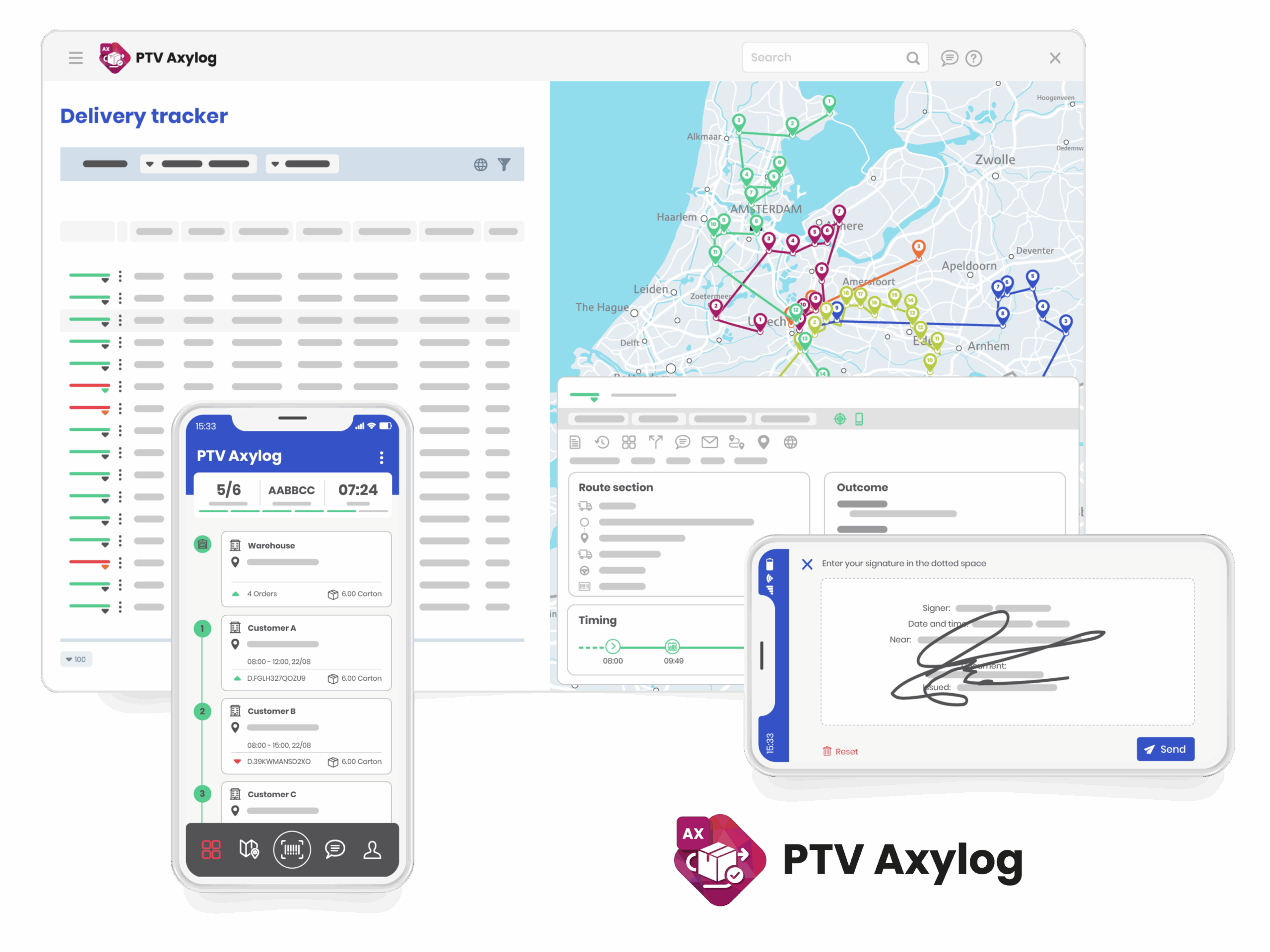
- “How does the system visualize live tracking against the planned route?”
- “Does the solution support automatic re-optimization based on real-world disruptions?”
- “Is the visibility ‘road-centric’ or just ‘point-to-point’?”
Optimal execution visibility (using capabilities like those found in PTV Axylog) involves using truck-specific road data to provide hyper-accurate ETAs. Serving as Transport Control Towers, these tools are modular, flexible, and customizable. And crucially, they tell you what is actually happening on the road – not just what it says in your original plan.
13. What data quality do you require to get good results?
Poor quality data in leads to poor quality insights out. Ensure your chosen vendor is transparent regarding the data hygiene required to hit your KPIs:
- “What happens if addresses or service times are incomplete?”
- “Do you support geo-coding, address cleansing, or parameter tuning?”
Good quality data is fundamental to ensuring optimization platforms are effective. For example, recent research has shown that bad data quality can hinder predictive analytics and end up costing companies 8-12% of their revenue. Ensure your vendor is honest about the data preparation and hygiene required to deliver results through their solution and the iterative improvement that it can deliver.
Questions About ROI, TCO, and Proof of Value
14. What ROI have similar customers achieved and how was it measured?
Don’t simply accept vendor promises of software benefits – ask for proof. Insist on seeing examples of the operational uplift enjoyed by companies with similar scale and complexity to your own.
Encourage asking for:
- Before/after KPIs (km, trucks, planning time, on-time performance).
- Independent benchmarks or customer quotes.
15. What is the total cost of ownership over 3–5 years?
A common mistake is focusing solely on the initial license fee for a piece of software. For mid-market companies, the hidden costs of a cheap tool, including failed deliveries, manual overrides, and poor integration, often far outweigh the price of premium software. Avoid this false economy by asking these questions:
- “What is the full 5-year cost breakdown?”
- “Are there hidden costs for map updates or integration maintenance?”
- Is training included in the fee? What about support?
16. Can we start with a pilot or scenario project to prove value?
Even if a piece of software looks like a good fit, you don’t have to take a leap of faith. De-risk your investment by getting first-hand experience with the software through demos, free trials, and pilot projects:
- “Can you run our data through your system to show potential gains?”
- “Can we start with a subset of depots or regions?”
Red Flags and Tradeoffs: When Simple Tools Are Not Enough
It is unlikely to be a single moment that demonstrates you’ve outgrown your manual planning or legacy tools. Instead, a mounting pile of daily hurdles is more commonly the sign that you’ve reached a point when spreadsheets aren’t enough for route planning.
- Signs You’ve Outgrown Spreadsheets and Manual Planning
Look for these red flags in your daily operations: recurring planning crises, unmanageable peaks, endless overtime, and no time for optimization.
- Common Limitations of Basic Route Planning Tools
While simpler tools may appear sleek, they often fail at the exact moment your business becomes complex. Limitations may include: not being constraint-aware, no multi-depot, no scenario simulation, no visibility, or weak APIs.
As the logistics market grows, basic tools are increasingly ineffective. They may sequence stops, but optimization-first platforms oversee the entire network and all its processes.
- Balancing Standardization With Flexibility
One of the biggest tradeoffs logistics planners have to manage is the tension between standardized optimization and local flexibility. A tool that is too rigid will be rejected by the team; a tool that is too loose won’t deliver the logistics planning software ROI you need.
The right logistics software for complex operations supports both standardized optimization and local adjustments. It combines the latest algorithms with the ability for planners to inject their insights when necessary.
Turning These Questions Into Your Vendor Checklist
Choosing the right vendor means finding value – not being wowed by a shiny, new feature set. During your next discovery call or vendor meeting, seek data-backed responses in these key question areas:
- Operations & objectives
- Optimization capabilities
- Usability & adoption
- Integration & execution
- ROI & TCO
- Red flags
The transition from manual planning to a truly smart logistics tool is the single biggest efficiency jump a logistics operation can make. However, not all solutions are created equal. Use this article as a template for your next RFP to ensure you find a solution that sets up your entire network for optimal performance, for optimal profit.
Speak with a PTV Logistics optimization expert today and explore how a plan–optimize–execute platform can address these questions and more.