

Planning routes from one depot is already a challenge. When you are planning across several depots, it changes the job in a more fundamental way. You are no longer just deciding which vehicle serves which stop. You are also deciding which depot should serve which customer, how to balance capacity across sites, and how to keep service levels stable when volumes fluctuate.
Many logistics planners start out with spreadsheets, free map apps, and one-depot-at-a-time planning. If the company continues to grow, eventually these tools reach their limits. The work becomes too manual, too slow, and too hard to explain when someone asks why one depot is overloaded while another still has spare capacity.
If you are looking for a practical, repeatable workflow for beginner multi depot routing, this is the step-by-step guide for you. We will show you how to plan multi depot routes in a way that is structured, scalable, and realistic for day-to-day logistics. We will also cover how optimization-first software fits into the process, from planning through execution.
Key takeaways for beginners in multi-depot route planning
The ideas below are the ones that most affect whether a multi-depot plan actually holds up in daily operations. The rest of this guide walks through how to put each of them into practice.
- Multi-depot route planning means deciding which depot serves each order before building routes — it isn’t the same as running single-depot routing several times over.
- Depot assignment happens one of three ways: manually by planner judgment, by fixed rules such as catchment areas or distance thresholds, or fully optimized on cost, capacity, and service constraints.
- Solving all depots together as one connected network is what allows workload to be rebalanced. Planning each depot separately is what causes one site to sit overloaded while another has spare capacity.
- Common signs a team has outgrown single-depot tools: planning time growing faster than order volume, chaos from last-minute changes, a chronic imbalance between depots, inconsistent on-time performance, and planners who can’t explain why one plan beats another.
- Before building multi-depot routes, four inputs need to be in place: depot data (and any service-area or catchment rules you want to enforce), clean order and time-window data, vehicle and driver constraints, and a clear planning objective.
- Spreadsheets and single-depot tools work early on, but break down once depot balancing, time windows, driver rules, and network-wide trade-offs all have to be weighed together — which is where an optimization-first, network-wide approach takes over.
What is multi-depot route planning (and why is it different)?
In short: multi-depot route planning is the process of deciding which depot serves which order, then building efficient delivery routes across all depots as one connected network — rather than planning each depot in isolation.
Single-depot vs. multi-depot routing in plain language
Single-depot planning starts from one origin point. Orders come in, vehicles leave that location, and the planner focuses on building efficient routes from there. Multi depot route optimization adds another dimension: deciding which depot should serve each order, under which constraints. Rather than a planner working that out by hand before routing even starts, this is exactly the kind of decision optimization software can make automatically, weighing depot capacity, cost, and service constraints together.
That is what makes the vehicle routing problem with multiple depots more complex. There are simply far more variables to account for. One customer might be reachable from two depots. One depot might be closer, but already full. Another might have the right vehicle type, but tighter operating hours. Those different options and constraints shape your planning before you even start optimizing your routes.
If you’re not yet sure your business has actually reached that tipping point, our comparison of single-depot and multi-depot planning walks through the signs, tradeoffs, and hidden costs of waiting too long to make the switch.
Common real-life multi-depot scenarios
Multi depot planning is an everyday job in situations like these:
- CEP networks with city depots and regional hubs.
- Retail and e-commerce operations with regional DCs, local depots, or cross-docking points.
- Transport and logistics providers serving several regions with different fleets, service promises, and customer requirements.
A retail example makes this concrete too: a regional distribution center holds full-pallet stock, while several local depots or cross-dock points handle final-mile delivery to nearby stores or customers. If planning treats the DC and every local depot as separate problems, the network ends up over-stocked in one place and under-served in another — the same imbalance CEP networks see with hubs and city depots, just with different vehicles and time windows.
In each case, route planning for regional depots involves planning around depot hours, loading capacity, customer SLAs, vehicle availability, driver shifts, and local restrictions. That is why routing with multiple depots and time windows becomes a routine operational task.
Why multi-depot planning breaks simple tools
Simple tools usually treat each depot as its own isolated planning task. That seems manageable at first, but it eventually leads to blind spots. You may get reasonably accurate routes for each depot while still creating poor results across the wider network.
That is one of the clearest signs of when spreadsheets are not enough for route planning. They struggle to optimize routes for several depots as one connected system. They also make it difficult to see how to balance loads between depots, react to volume changes, or test whether a different allocation rule would reduce miles and improve utilization. In the end, this impacts your business, because you wind up with higher planning workloads, more empty miles, and less visibility and efficiency throughout your network.
What you need in place before planning multi-depot routes
Your network and depot data
Good planning starts with a clear network model. That means depot locations, depot operating hours, loading limits, throughput constraints, and any rules about what each site can or cannot handle. Some depots may be outbound only. Some may handle returns. Others may support cross-docking or inter-depot transfers.
You also need to define service areas or preferred rules. A depot might usually cover a certain postcode range, but not always. This kind of zone-building is sometimes called sectorization — dividing a territory into balanced delivery areas so that workload, not just geography, determines the boundary. Those rules give you a practical baseline before you decide whether to keep assignment logic fixed, partly flexible, or fully optimized. Redrawing zones is one lever inside an existing network — if depot locations, fleet mix, or the overall network structure are the real issue, our guide on when and how to redesign your delivery network covers that bigger decision.
Orders, customers, and time windows
Next comes demand. You need reliable addresses or coordinates, required delivery dates, time windows, service times, and any order-specific restrictions. That can include liftgate requirements, temperature control, priority flags, or site access rules.
This is where logistics route planning step by step often succeeds or fails. If your address data is inconsistent, if time windows are missing, or if service times are guessed instead of defined, the planner ends up correcting inputs manually. That slows the workflow and makes the final plan less reliable.
Vehicles, drivers, and truck-specific constraints
Fleet data matters more in multi-depot planning because routes tend to span larger areas and more varied road conditions. You need capacity, vehicle type, height, weight, refrigeration status, ADR rules, toll considerations, access rules for low-emission zones (LEZs), and any other truck attributes that affect routing.
Driver shifts, break rules, working time limits, and overtime policies matter just as much. Truck-specific routing becomes more important as routes cross regions and restrictions change. If that logic is missing, your plan may look efficient on paper and fail the moment it meets a low bridge, a time-restricted delivery zone, or a legal driving-time limit.
Planning objectives and business rules
Before you start optimizing, define the goal. Are you trying to cut total distance, protect on-time delivery, balance workload across depots, improve fleet utilization, reduce fuel use, or support greener operations? In practice, the answer is usually a mix.
You also need clear business rules. Maximum route duration. Maximum stops per route. Cross-depot visits allowed or not. Backhauls allowed or not. Preferred depot-customer relationships. These rules turn abstract optimization into a workflow your team can trust.
A step-by-step workflow for planning multi-depot routes
Step 1. Define your depots and their roles
Start by mapping every depot, hub, or transfer point in the network. Set capacities, depot hours, loading windows, and role definitions. Does the site only dispatch outbound routes? Does it process returns? Can it support cross-docking?
A simple CEP example makes this easier to picture. A central hub may sort volume for several city depots. Those city depots then handle the final delivery routes. If the planner treats every site as doing the same job, the routing logic becomes messy fast.
- What the planner does: define each site and its operational role.
- What the system does: stores those rules as the network structure behind the plan.
- What to check before moving on: whether the depot setup reflects how the business actually runs, not how it looks in an org chart.
Step 2. Load your orders and customer constraints
Next, bring in the day’s or week’s orders. If you are doing this manually, that may mean file imports. If you are using a more modern software setup, you can sync from your ERP, TMS, or OMS into a multi depot route planner software environment.
This is where data quality pays off. Addresses need to be geocoded correctly. Time windows need to be explicit. Service durations need to be realistic. In an optimization-first workflow, this step can be automated through APIs so planners do not spend the first hour of the day copying and cleaning data. PTV Developer is built for this kind of embedding, with APIs for routing, geocoding, and related logistics functions.
- What the planner does: review inputs and exceptions.
- What the system does: geocodes, validates, and prepares order data for optimization.
- What to check before moving on: missing coordinates, impossible time windows, or incomplete service details.
Step 3. Set up vehicles, drivers, and truck profiles
Now assign vehicles to depots and define their profiles. Refrigerated vans, rigid trucks, trailers, EVs, or specialist vehicles may all need different planning logic. Add capacities, access restrictions, and vehicle-specific rules.
Then set driver shifts, break rules, and legal working-time limits. This is where fleet routing with constraints stops being a theory and becomes practical planning. A good workflow should catch issues before dispatch, not after a driver is already on the road.
- What the planner does: confirm available vehicles and crews for the planning horizon.
- What the system does: applies those constraints during optimization.
- What to check before moving on: whether route feasibility reflects both the vehicle and the driver, not just one or the other.
Step 4. Choose your planning strategy and objectives
At this stage, decide what matters most for this planning run. Minimize total cost. Balance utilization across depots. Protect on-time deliveries. Reduce total mileage. Support emissions goals. Most teams start with one main objective and layer in more priorities later.
That matters because beginner multi depot routing does not need to start with a perfect model. A useful workflow lets you begin with something clear and practical, then refine it over time as the team gains confidence.
- What the planner does: choose the objective and any priority rules.
- What the system does: weights trade-offs during optimization.
- What to check before moving on: whether the optimization goal matches the business pressure you are actually under today.
Step 5. Assign orders to depots (manually, rules-based, or optimized)
This is one of the most important stages in how to plan routes from multiple depots. There are usually three approaches.
Manual assignment is the simplest. A planner allocates orders by region, depot ownership, or local knowledge. Rules-based assignment goes one step further, using catchment areas, distance thresholds, or fixed business rules. Full optimization lets the system decide which depot should serve each order based on cost, capacity, service, and constraints.
The value of optimization here is that it enables you to rebalance workloads and avoid the usual pattern where one depot is full, another has spare vehicle capacity, and nobody can see the network-level trade-off clearly. This is also where multi depot delivery planning for retail often improves quickly, because regional demand patterns shift by day and season.
It’s also worth remembering when delivery performance is slipping: before assuming the fix is more vehicles, check whether the real issue is how work gets assigned across depots — our piece on improving delivery performance without adding more trucks covers that in more detail.
- What the planner does: choose the assignment logic and review exceptions.
- What the system does: allocates orders across depots according to rules or optimization.
- What to check before moving on: overloaded depots, underused fleets, and assignments that look technically valid but operationally awkward.
Step 6. Optimize routes across all depots
Once orders are assigned, the route engine can optimize across the full network. This is the core of multi depot route optimization. Instead of running separate route plans per depot and hoping they add up well, the system solves the broader problem as one coordinated planning exercise.
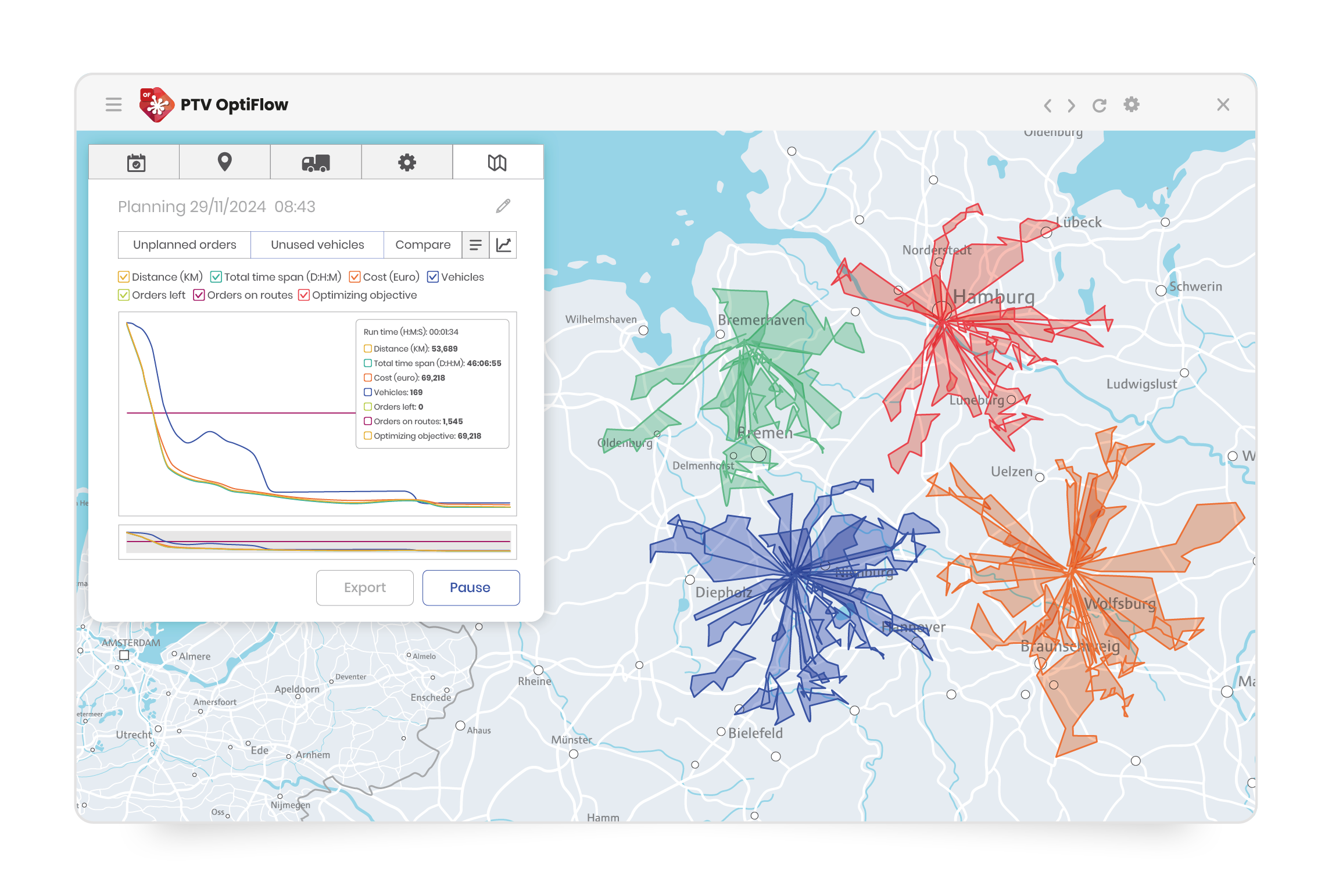
That is a major difference in a true multi depot routing workflow. Instead of treating each depot as a separate planning unit, the system evaluates the wider operation as one connected network. That gives your planners a better basis for balancing workloads, improving vehicle utilization, and reducing avoidable mileage across the whole footprint. This is another area where optimization-first software helps. PTV OptiFlow, for example, handles large, complex transport flows with mixed fleets, multiple depots, and centralized planning. Its SaaS version can handle 15,000+ orders per run, or you can expand it using PTV Developer APIs to handle over 50,000 at a time.
- What the planner does: launch optimization and compare planning options.
- What the system does: builds feasible routes across depots at scale.
- What to check before moving on: route quality, planning time, and whether the global result is better than separate depot-by-depot plans.
Step 7. Validate the plan from a planner’s point of view
During optimization, the planner’s judgment is extremely valuable. It’s up to them to review and determine whether time windows are met, capacities are respected, driver rules are feasible, and known bottlenecks are reflected.
This is also where planner productivity improves. Instead of building everything manually, the planner focuses on reviewing quality, adjusting edge cases, and improving outcomes. In a planner-friendly environment, map views, timeline views, and drag-and-drop adjustments make that review practical rather than painful.
- What the planner does: sense-check the plan against operational reality.
- What the system does: presents routes in a reviewable format.
- What to check before moving on: customer preferences, local traffic patterns, and route details that still need human judgment.
Step 8. Export routes and hand over to execution systems
Once the planner approves the plan, the team needs to send it into the systems that run the day. That may mean a TMS, telematics platform, driver app, or delivery management tool. The handover should happen digitally, not through copying and pasting.
This step often decides whether the workflow holds together. When planners copy route data by hand, they create delays, introduce errors, and waste time on admin. A connected setup helps prevent that. PTV OptiFlow, for example, lets teams transfer route plans, stop sequences, timings, and delivery details directly into the surrounding systems they already use. That keeps the plan intact and enables smooth dispatch planning across multiple depots.
- What the planner does: release routes and confirm dispatch readiness.
- What the system does: send route data into execution systems.
- What to check before moving on: confirm that ETAs, stop sequences, and delivery instructions transfer correctly.
Step 9. Monitor performance and adjust same-day if needed
In a multi-depot setup, an order change in one area can affect vehicle availability, depot workload, and route timing somewhere else. That is why planners need a clear view of what is happening and a fast way to respond.
First, they need to spot where the plan changes. Then they need to decide whether to leave the route as it is, make a manual change, or run a new optimization for part of the day.
This is another area where having a connected planning setup saves time and costs. Look for optimization-first software that also supports re-optimization, so your planners can update routes when conditions change, instead of having to rebuild parts of the plan by hand.
- What the planner does: review the issue, judge the impact, and choose the best response.
- What the system does: show current route status and support re-optimization or route changes.
- What to check before moving on: confirm the effect on time windows, driver hours, depot workload, and downstream routes.
Step 10. Use scenarios to improve your multi-depot network over time
Once your daily workflow is running smoothly, your team can use the same planning approach to continually improve the network as you move forward. This is the point where planning starts to support better, more strategic network decision-making.
An optimization-first tool lets planners test these changes before the business commits to them. Instead of guessing, the team can compare different options, see the likely effect on cost, service, and workload, and make choices much more clearly. What happens if certain postal codes move to a different depot? What happens if depot capacity changes? What happens if one region needs more frequent deliveries? What happens if the business opens, closes, or repurposes a site?
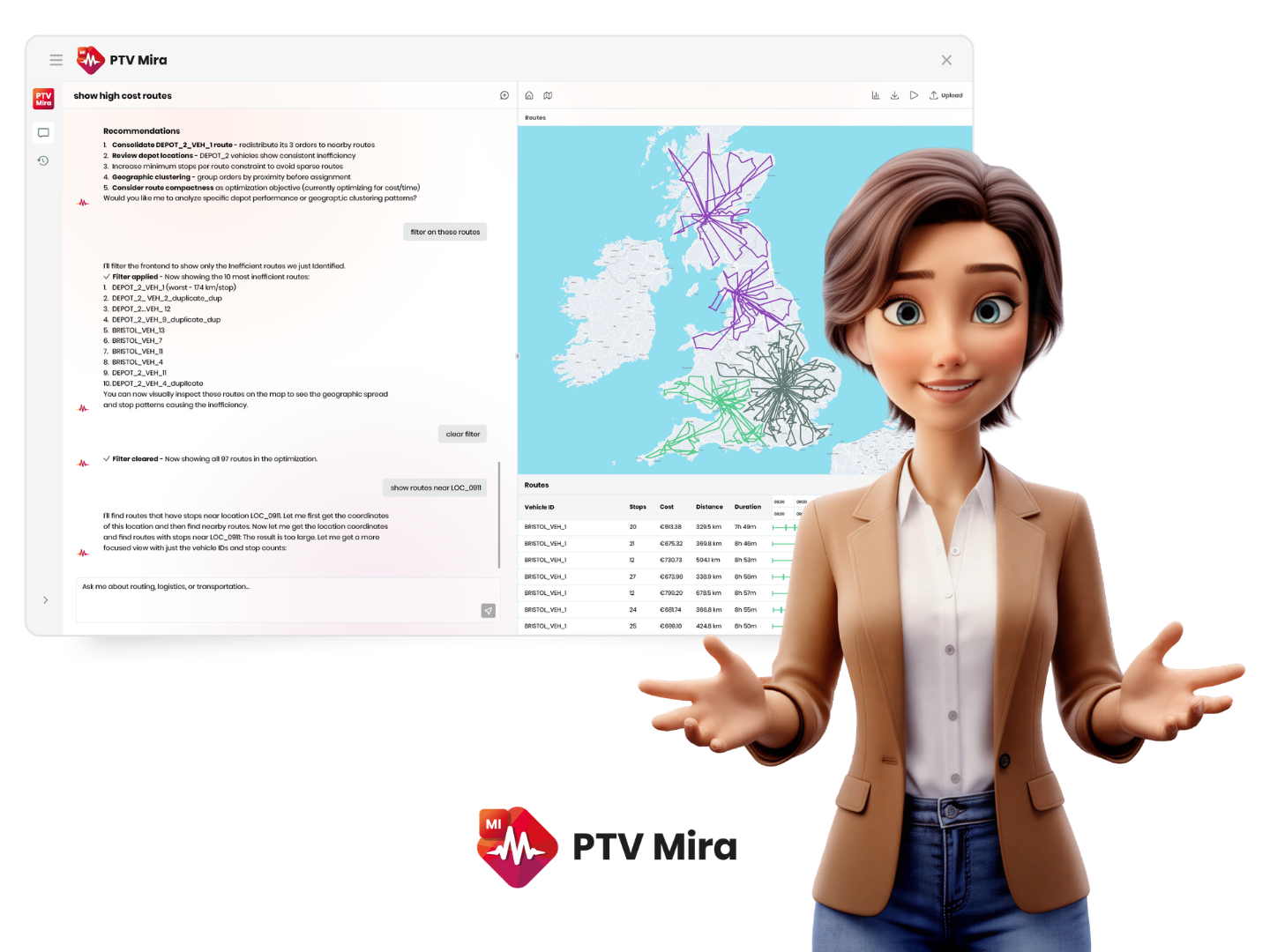
Increasingly, planners don’t have to set up each of these comparisons from scratch to get an answer — PTV Mira, for example, lets a planner ask a question like this directly, in plain language, and get a scenario-based answer back, with the underlying comparison run in the optimization engine behind it.
For a digital lead, it also makes the multi depot planning workflow for logistics managers much easier to explain internally, because the operational impact of each option stays visible and grounded in day-to-day detail.
When your basic tools are no longer enough
Signs you’ve outgrown single-depot tools
When your planning tools are no longer up to the task of keeping your planners in control, you will probably encounter some of these common issues:
- Planning time keeps growing faster than order volume.
- Last-minute changes create chaos.
- The same depots keep taking too much load while others stay underused.
- On-time performance starts to vary too much.
- Planners struggle to explain why one decision works better than another.
Those signs usually point to one overarching problem: your team is trying to solve a network-wide issue with local tools.
What an optimization-first platform changes in the workflow
An optimization-first platform gives you one view of depots, vehicles, and orders. It automates allocation and route building across the wider network. It also helps planners scale from hundreds of orders to thousands without simply adding more manual effort.
Many planning tools stop at daily route building. PTV OptiFlow, for example, works across three levels at once — strategic network design, tactical territory and capacity planning, and day-to-day operational routing — so the same platform that builds today’s routes can also help decide where the next depot should go or how sectors should be redrawn as volume grows.
Just as important, it connects planning to execution and visibility. That means fewer handoffs, clearer ETAs, better response to disruption, and a more credible basis for KPI improvement.
For planners and managers, this also means getting an answer faster when something looks off. PTV Mira, for example, is an interactive logistics intelligence agent that lets teams ask a practical logistics question in plain language and get an operational answer back — including which routes are running inefficiently today, not just which ones look fine on paper.
How PTV Mira finds inefficient routes